
If you had a problem and logged in incorrectly with a local account instead of our @ptm.services account, follow these steps to correct the problem.
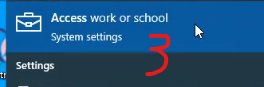
First, click the start button and type access in the search bar.

Next, click on Access Work or School
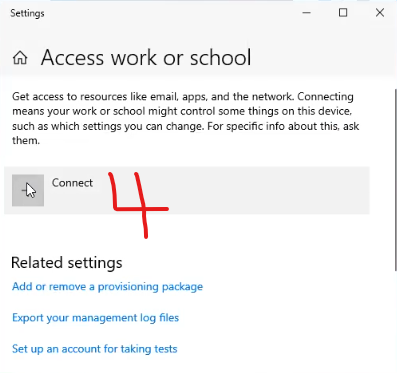
Then, click the + sign next to Connect
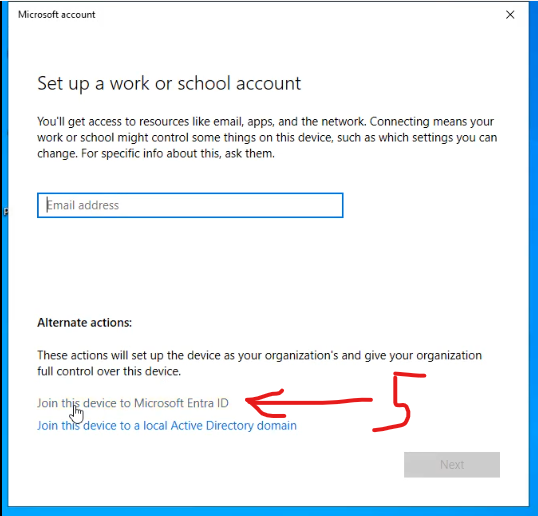
Do NOT enter your email address yet! Instead, click the link below to “Join this Device to Microsoft Entra ID.
Now you can enter your PTM email address, usually first intial last name @ptm.services.
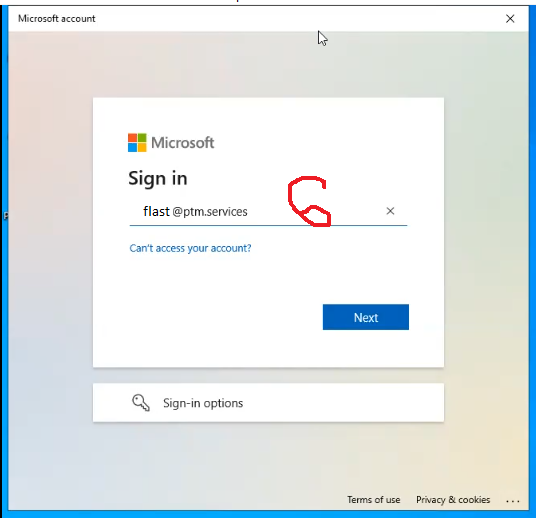
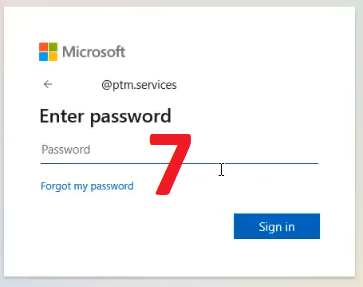
You can enter your password for the @ptm.services account here or, if you don’t know it, click the link for “Forgot my password”.
Once you have logged in, complete the process per the instructions on https://e.ptm.services/pc-login